TAPro Google Review Kits & NFC Business Growth Systems

TAPro NFC and QR Google Review Stand for business counters Featured TAPro Google Review Stand

TAPro · Google Review Growth Systems

Google Review Kits for Businesses

Stop guessing which NFC products to buy. Compare three practical setups for coffee shops, restaurants and dealerships—then choose the review stands, cards, stickers and keychains that fit your business.

NFC tap + QR scan No customer app No required subscription Free U.S. shipping

Start here

Which Google Review Kit Fits Your Business?

Each setup shows recommended quantities and placements. These are suggested configurations you can build from TAPro products—not three prepacked items with a single checkout price.

Setup 01 · Small Business

Micro-Powerhouse

For coffee stands, kiosks, salons and small service teams. Put review options at the counter, pickup area and with employees.

11 units · 5 product types
See This Setup

Setup 02 · Hospitality

Restaurant & Café

For restaurants, cafés and takeout businesses. Combine table placements, registers, entrances and optional digital menus.

52 units · 7 product types
See This Setup

Setup 03 · Multi-Team

Dealership & Service

For sales floors, service departments and larger teams. Equip multiple customer-facing areas with clear review access.

43 units · 8 placement types
See This Setup

Important: You do not need all 11, 52 or 43 units to get started. Choose the placements your business actually has, and scale when needed.

Prefer a ready-to-buy product?

Shop TAPro's Actual Google Review Bundles

These are separate purchasable bundles with defined contents. They are different from the three example business setups below.

Starter Bundle

3 NFC review stands, 3 review cards and 3 stickers. A practical starting point for a small team.

View Starter Bundle →

Growth Bundle

7 NFC review stands, 7 review cards and 3 stickers for more customer-facing locations.

View Growth Bundle →

Dominator Bundle

10 NFC review stands, 5 review cards and 5 two-inch stickers for wider deployment.

View Dominator Bundle →

See current prices, options and availability on each product page.

TAPro NFC Google Review Cards for a small-business review setup

Setup 01 · Coffee stands, kiosks and small teams

Micro-Powerhouse: Reviews at the Counter and Beyond

A simple setup for businesses with one to three employees. Use a stand where customers pay, stickers at suitable contact points and portable cards or keychains for staff. Review requests should always be optional and neutral.

11 total units 5 product types Best for 1–3 staff
Recommended products · Quantity · Placement
3 NFC Google Review Cards One per employee for optional customer invitations
2 NFC Review Keychains Portable review access for staff
2 Window or Door Stickers Entry and pickup areas on suitable smooth surfaces
1 NFC Google Review Stand Register or reception counter
3 Mini NFC Tap Tags Appropriate customer-facing surfaces

Why this setup works: It offers customers more than one convenient way to find your review link without relying entirely on an employee's reminder.
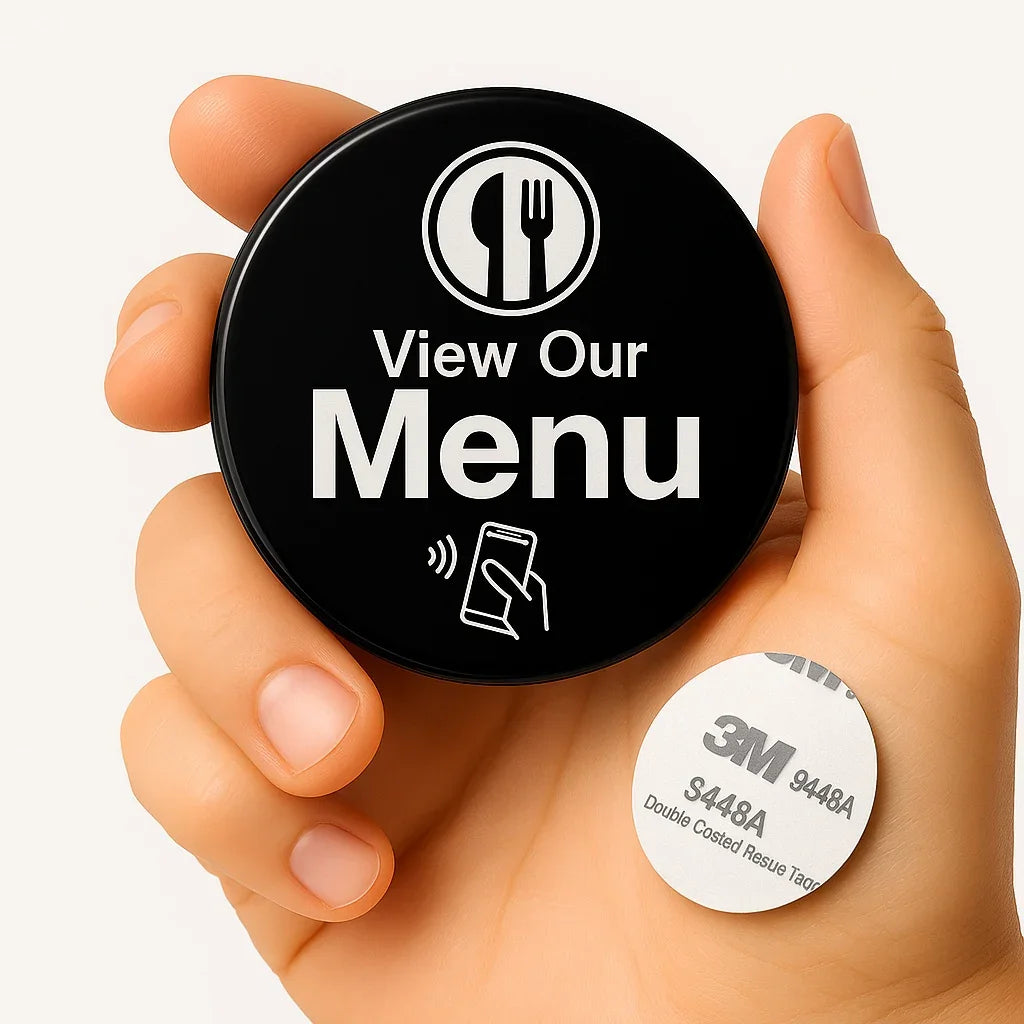
TAPro NFC restaurant menu button for a hospitality business setup

Setup 02 · Restaurants, cafés and takeout

Hospitality: Make Reviews Easy Across the Guest Journey

Designed around an example restaurant with 30 tables and two registers. Place optional review access at appropriate locations and use separate NFC menu products where digital menus, ordering or specials are useful.

52 total units 7 product types Example: 30 tables
Recommended products · Quantity · Placement
2 4×4 Door Review Stickers Entrance and exit areas
2 NFC Review Stands Registers or checkout counters
1 Additional Review Stand Pickup or condiment station
30 2×2 Table Stickers One per table, if appropriate for your service model
10 NFC Digital Menu Products Menus, ordering, specials or other configured links
3 NFC Review Keychains Delivery or customer-facing staff
4 NFC Review Cards Managers or staff handling guest feedback

Why this setup works: Customers can find the appropriate review or menu link at several natural points. Each product should be configured for its intended destination.

TAPro portable NFC review tool for dealership and service teams

Setup 03 · Dealerships and service departments

Dealership: Equip Multiple Teams and Customer Areas

An example deployment for sales, service, reception and management. Give customers clear, optional access to your Google review link after genuine experiences—without turning reviews into a sales requirement.

43 total units 8 placement types Multi-team operations
Recommended products · Quantity · Placement
20 Sales Team NFC Cards One per salesperson, for voluntary follow-up requests
3 Finance Office Stands Visible, optional information—not pressured requests
4 Reception & Showroom Stands Reception and showroom customer areas
4 Service Advisor Cards Service team follow-up communications
2 Waiting Room Stands Clearly marked optional customer review access
3 Programmable Service Stands Service information or optional offers
2 Valet & Drop-off Keychains Portable access for appropriate customer interactions
5 Management & Support Cards Managers and customer service representatives

Why this setup works: Multiple teams can offer a consistent, convenient review path while keeping requests honest, neutral and pressure-free.

Simple implementation

How to Set Up Your NFC Google Review System

Choose the right touchpoints first. Add products only where customers can comfortably use them.

01

Choose products

Select review stands for fixed locations, cards and keychains for mobile staff, and stickers for suitable smooth surfaces.

02

Connect your link

Follow TAPro's activation instructions to connect each applicable NFC or QR product to the correct Google Business Profile review destination.

03

Place, test and maintain

Test NFC and QR access with a phone. Keep signage visible and requests neutral. Update supported destinations through the TAPro dashboard as needed.

What you're buying

NFC Tap, QR Backup and Flexible Link Management

NFC + QR for easier access

Customers can tap an NFC-enabled phone or scan a QR code on products that include both. A tap or scan opens the configured destination; customers do not need to install a TAPro app.

How NFC Review Cards Work →

TAPro dashboard

Supported managed products can have their destination links updated through TAPro's platform. Available controls depend on product configuration; changing one product does not automatically mean every other product changes.

Explore the NFC Google Review System →

Customer results and proof

See TAPro's published customer examples and the context behind their reported Google review growth. Past results are not a guarantee of future review volume or search rankings.

View Before-and-After Examples →

Find the right product

Not every business needs a 52-piece deployment. Compare the practical differences between countertop stands, portable cards, adhesive signs and NFC accessories.

Which NFC Review Product Should I Buy? →

Google review policy

Ask for Honest Reviews. Never Pressure Customers.

NFC tools make the review link easier to access. They do not change Google's rules or guarantee reviews, ratings or rankings.

Request genuine feedback

Invite customers to share their actual experiences without telling them what rating to leave.

Do not offer rewards for reviews

No discounts, gifts or incentives in exchange for posting or changing a review.

Do not filter for positive reviewers

Avoid screening customers by satisfaction before providing review access.

Keep every request optional

Never pressure customers to review on the spot or make reviewing a condition of service.

Official sources: Google's review guidance, Google Maps content policy and Google Business Profile review information.

Quick answers

Google Review Kit FAQs

What is a Google Review Kit?
A Google Review Kit combines NFC and/or QR products such as review stands, cards, stickers and keychains. The goal is to give customers convenient access to a business's Google review link at suitable touchpoints.
Are the three business setups sold as single bundles?
No. The 11-unit, 52-unit and 43-unit setups on this page are recommended configurations. You can select their components separately. TAPro also sells ready-to-buy Starter, Growth and Dominator bundles with their own defined contents and prices.
Which kit is best for a small business?
Start with the Micro-Powerhouse layout if you have a small team and one main customer counter. A review stand and a few portable cards or stickers may be enough; you do not need to purchase all 11 suggested units.
Do customers need to download an app to leave a review?
No TAPro app is required for the customer. An NFC tap or QR scan opens the configured link on a compatible smartphone. The customer may need to sign in to their Google account to post a Google review.
Does every TAPro product have both NFC and a QR code?
Not necessarily. Features vary by product. Check each product listing for NFC, QR, material, placement and configuration details before ordering.
Can I change the review link later?
Supported TAPro-managed products can be updated through the relevant activation or dashboard workflow. Update capabilities depend on the product and configuration; confirm the options on the individual listing.
Will a Google Review Kit guarantee more reviews or higher rankings?
No. A kit reduces the effort required to reach your review link, but review volume depends on customer participation and service quality. Google search rankings depend on multiple factors and cannot be guaranteed by an NFC product.
Can NFC products link to menus, social media or booking pages?
Many programmable NFC products can link to other URLs, including menus, booking pages and social profiles. Each product's destination and available management features depend on its configuration.
Is it allowed to ask customers for Google reviews?
Yes, businesses can invite customers to leave genuine, unbiased reviews. Do not incentivize, pressure, selectively solicit only positive feedback or submit reviews on customers' behalf. Follow Google's current guidance.
How many review stands or stickers do I need?
Base quantities on actual customer traffic areas rather than buying a fixed number. Begin with one or two prominent locations, test usability and expand where additional placements make sense. See TAPro's review stand placement guide.

TAPro · Choose your next step

Start With the Right Review Products. Expand When You're Ready.

Shop individual NFC Google Review Stands, Cards and Stickers—or choose a ready-to-buy bundle with a clear product breakdown.